 FusionTerm
The vault
The vault keeps passwords, SSH keys, API tokens and notes in one place, encrypted on your FusionTerm server. Your saved servers can sign in with vault entries, so when a password changes you update it once.
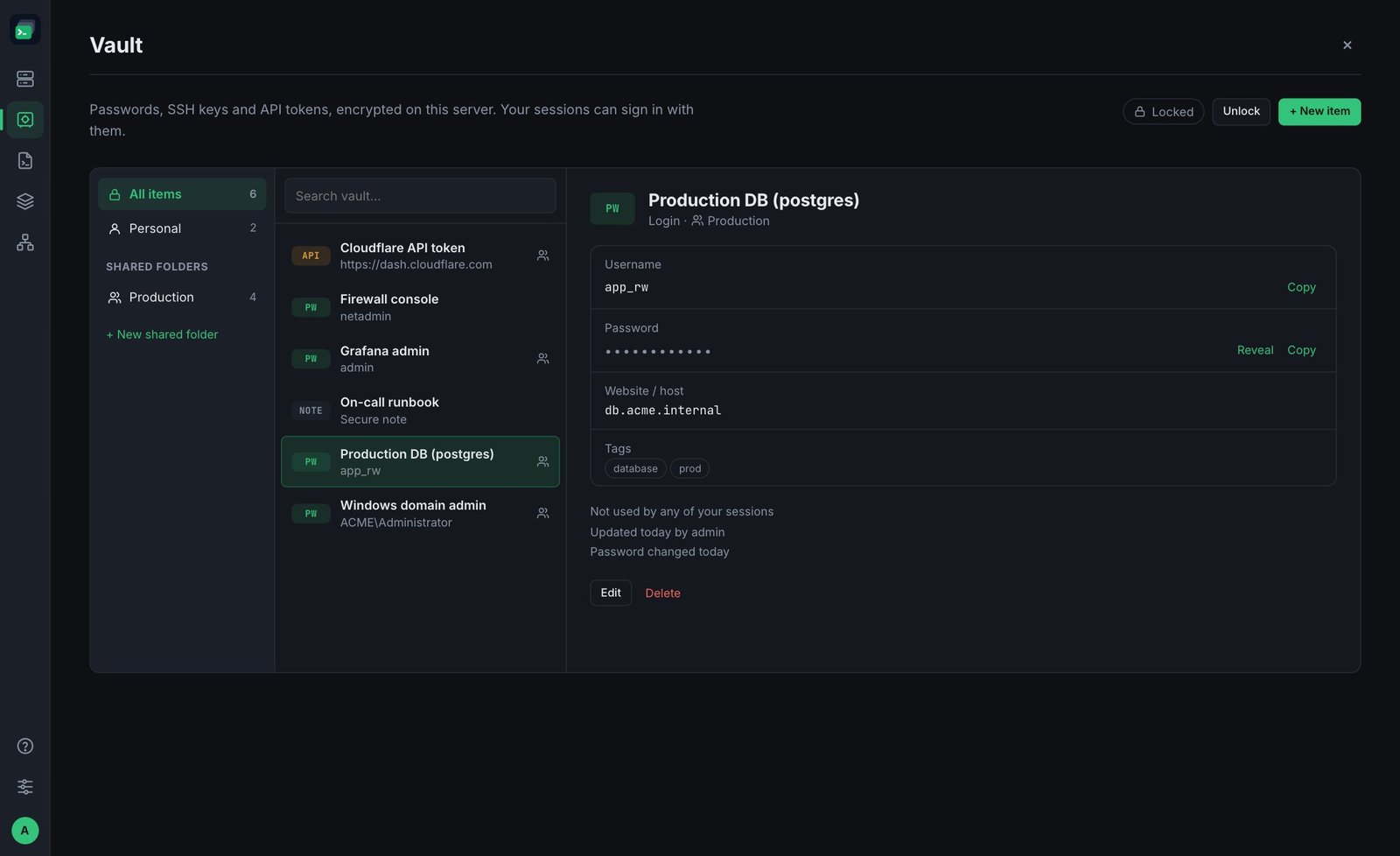
Adding an entry
Open Vault from the left bar and click + New item. Choose the kind:
- Login — username, password, website or host. Generate creates a strong password.
- SSH key — a private key and its passphrase.
- API token — a token for a service.
- Secure note — any text you want to keep safe.
Add Tags to find things later. Folder is Personal (only you) or a shared folder.
Viewing a secret
Secrets stay hidden until you unlock the vault: click Unlock and re-enter your FusionTerm password. It stays unlocked for 10 minutes (or click Lock now). Then use Show or Copy — copied secrets are cleared from your clipboard after 30 seconds.
People who sign in with single sign-on have no FusionTerm password: they can view secrets within 15 minutes of signing in.
Signing in to servers with a vault entry
In a server's settings, set Sign in with to a vault entry instead of typing credentials. SSH servers can use a login or an SSH key; Windows (RDP) servers a login. Each entry shows which of your sessions use it.
Tip: with shared folders, colleagues can use an entry to connect without ever being able to see the secret.