 FusionTerm
Add a Windows (RDP) server
Windows desktops open in a tab like any other session. They need the guacd gateway running next to FusionTerm — the Docker Compose install includes it.
- In Sessions, click +.
- Type: RDP · Windows desktop.
- Fill in Name, Host, Port (usually 3389), Username and the password — or Sign in with a vault login.
- Domain — your Windows domain, if the account is a domain account (optional).
- Ignore certificate errors — leave it ticked for most internal servers, which use self-signed certificates.
- Click Save & connect.
While you're connected
- The desktop resizes to fit your browser window.
- Ctrl+Alt+Del is a button at the top of the tab (your own computer would catch the real key combination).
- Copy and paste work like on your own computer: Ctrl+C in the desktop puts the text on your computer's clipboard, and Ctrl+V pastes your computer's clipboard into the desktop (on a Mac, ⌘C / ⌘V). The Paste button at the top of the tab does the same with the mouse — your browser may ask once to allow clipboard access. Text only, not files.
Idle sessions and reconnecting
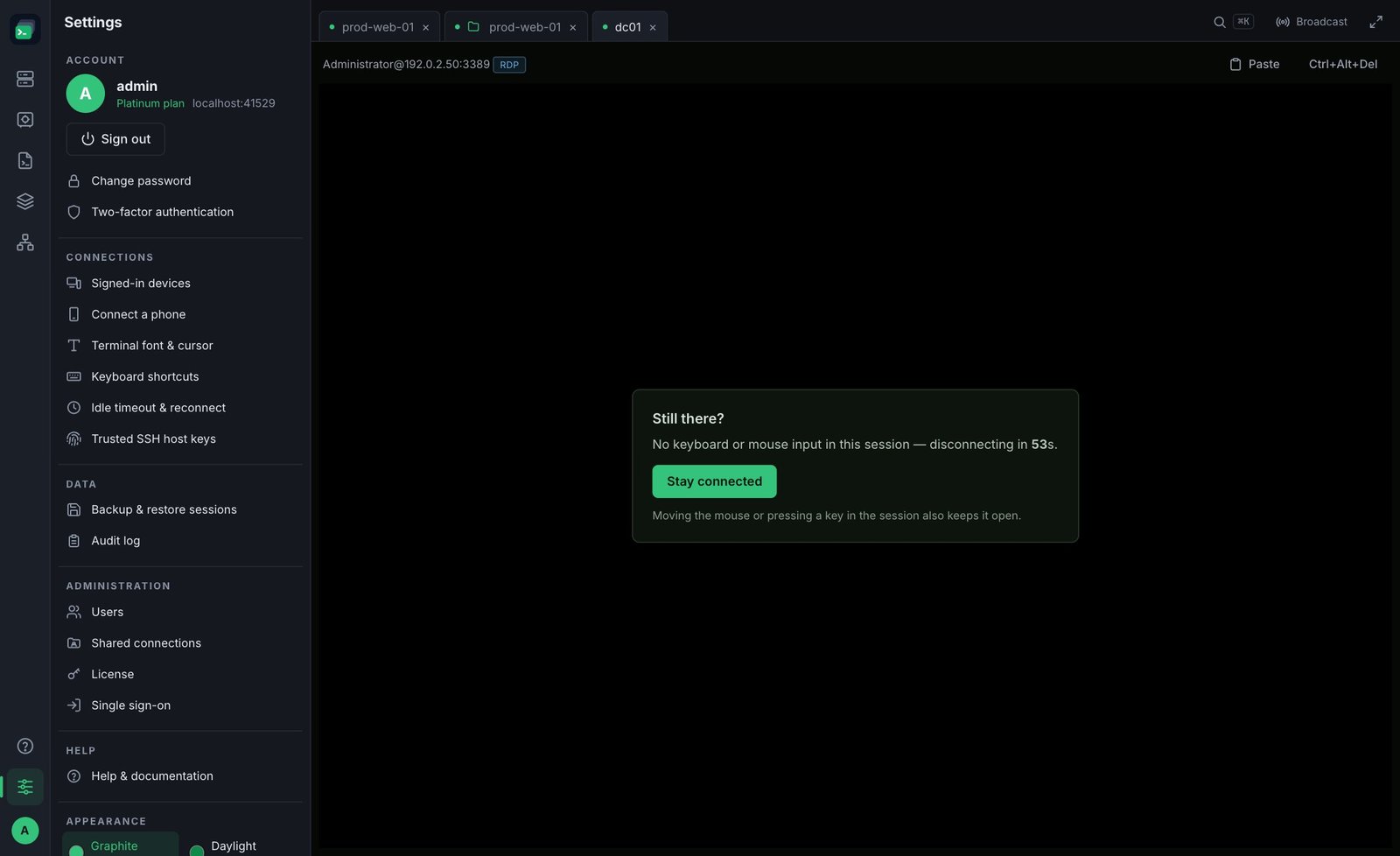
By default an RDP tab disconnects after 10 minutes without keyboard or mouse input, with a "Still there?" warning a minute before. Click Stay connected or move the mouse to keep it open.
- Press R on a disconnected tab to reconnect.
- Network blips are retried automatically; a wrong password never is.
- Disconnecting closes FusionTerm's connection only — Windows normally keeps your desktop running, so reconnecting usually picks up where you left off.
Change the timings in Settings → Idle timeout & reconnect, or per server under Advanced in its settings. See Idle timeout and reconnect.
Note: RDP can't go through a jump host. If RDP doesn't connect at all, see Troubleshooting.