 FusionTerm
Add a Linux (SSH) server
- In Sessions, click + next to the title.
- Type: SSH · Linux / network.
- Fill in Name (anything you like, e.g.
prod-web-01), Host (name or IP address), Port (usually 22) and Username. - Under Sign in, choose how to authenticate:
- Password — type it.
- SSH Key — Upload file (
.pem,.key, OpenSSH), Paste key, or Server file path (admins only: a key file already on the FusionTerm server). Add the Key passphrase if the key has one. - Or Sign in with a vault entry, so several servers share one password you can change in one place.
- Tick Remember the password or key to store it (encrypted on the FusionTerm server). If you don't, FusionTerm asks for it each time.
- Optional: pick a Folder / group to keep the list tidy.
- Click Save & connect.
Note: PuTTY .ppk keys must be converted to OpenSSH format first (for example with puttygen).
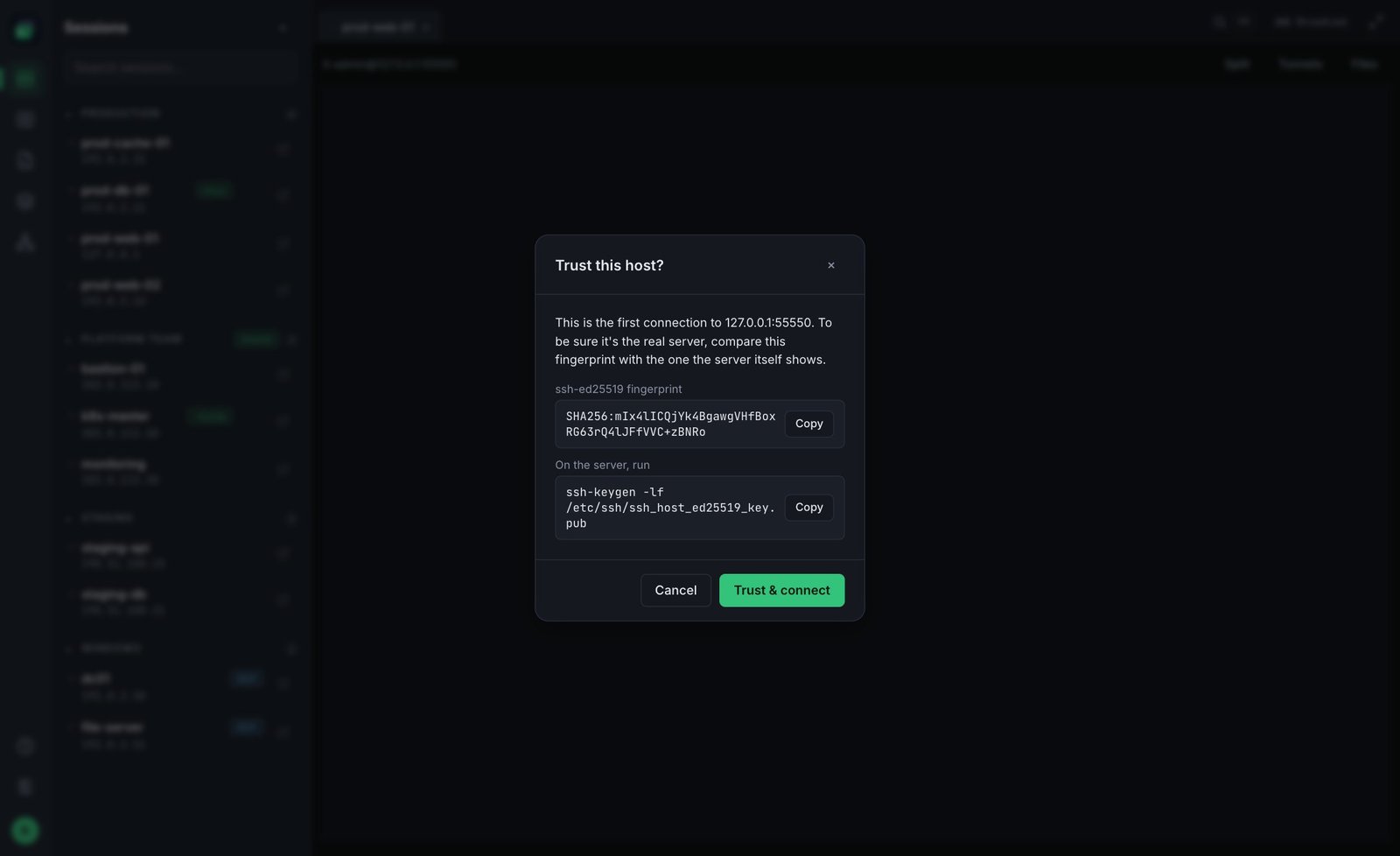
The first connection: "Trust this host?"
The first time you connect, FusionTerm shows the server's key fingerprint and asks whether to trust it. Compare it with what your server administrator expects, then accept. From then on FusionTerm checks the key on every connection and warns you if it ever changes — see Host key checks.
More options (Advanced)
- Jump host — reach a server through a bastion. See Jump hosts.
- Persistent session (tmux) — keep programs running if you disconnect. See Sessions that survive disconnects.
- Disconnect when inactive — close this session after a period without input. See Idle timeout and reconnect.
Edit or delete a server
Click the pencil icon next to it in the list. Delete is at the bottom of the form. The ⋯ menu next to each server also has Move to folder, Duplicate, Share with people and Delete — see Organize and share your servers.
If you save a server that's already in your list (same type, host, port and username), FusionTerm doesn't make a second entry: it tells you which saved session it is and offers to open it. Want a deliberate copy — for example to change one setting? Use ⋯ → Duplicate. Restoring a backup skips servers you already have.
Note: the Free plan includes up to 20 saved connections. Paid plans have no limit — see Plans and licenses.