 FusionTerm
File manager
Browse and change files on any SSH server, like a folder on your computer. It uses the same connection as the terminal (SFTP), so there's nothing extra to set up.
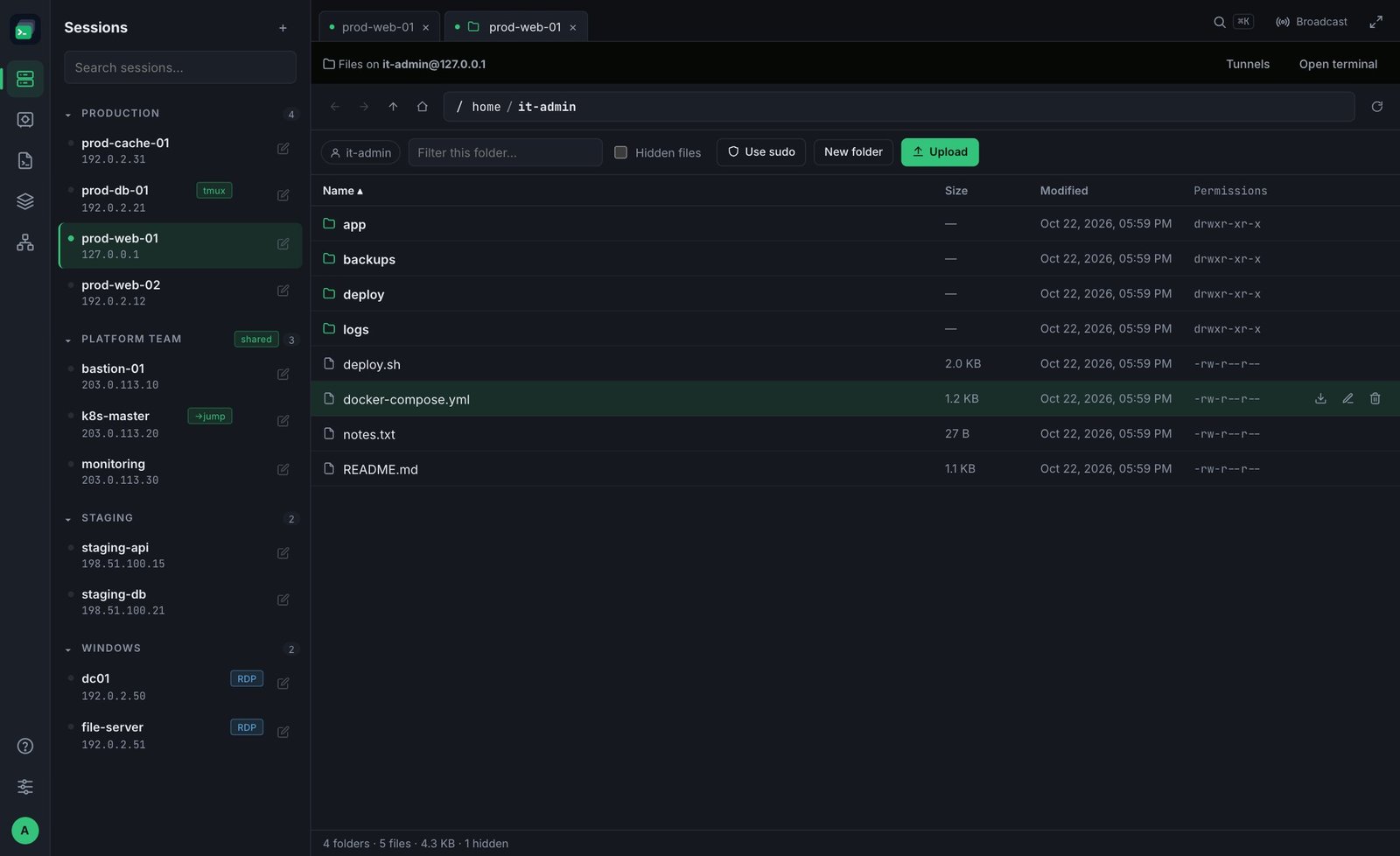
Two ways to open it
- Next to a terminal: click Files at the top of an SSH tab. The file manager opens beside the terminal.
- On its own: in Sessions, point at a server and click the folder icon (on phones and tablets it's always shown). Files open in their own tab, without a terminal — the tab has a folder icon.
Finding your way
- ← → go back and forward, ↑ goes up a folder, the house goes to your home folder.
- The path shows where you are — click a part of it to jump there, or click the path to type one.
- Filter this folder… narrows the list as you type. Click a column title to sort.
- Hidden files shows names starting with a dot.
Working with files
- Upload — sends a file from your computer to the current folder (up to 500 MB per file).
- New folder — creates a folder here.
- Point at a file to edit, download, rename or delete it.
Editing a file
Double-click a text file (or point at it and click the edit icon) to open it in the editor — for example a config file in /etc. Files up to 2 MB can be edited; larger files, and files that aren't text (images, archives) download instead.
- Ctrl+S (⌘S on a Mac) or Save writes it back to the server. Its permissions are kept.
- Tab inserts a tab; Esc or Close closes the editor — if you have unsaved changes, FusionTerm asks first.
- If someone else changed the file on the server after you opened it, FusionTerm doesn't silently overwrite their change: it asks whether to overwrite it, or you can cancel and copy your edits first.
- In sudo mode the editor reads and saves as root (it says as root at the top). Every save is recorded in the audit log.
Everything happens as the user you signed in with (shown at the top). If that user isn't allowed to change something, FusionTerm offers to continue with sudo — see Working as root (sudo).