 FusionTerm
Snippets
Snippets are commands you run often, one click away. Every account starts with 20 useful ones — disk space, biggest folders, failed services, listening ports, top processes and more — grouped by topic.
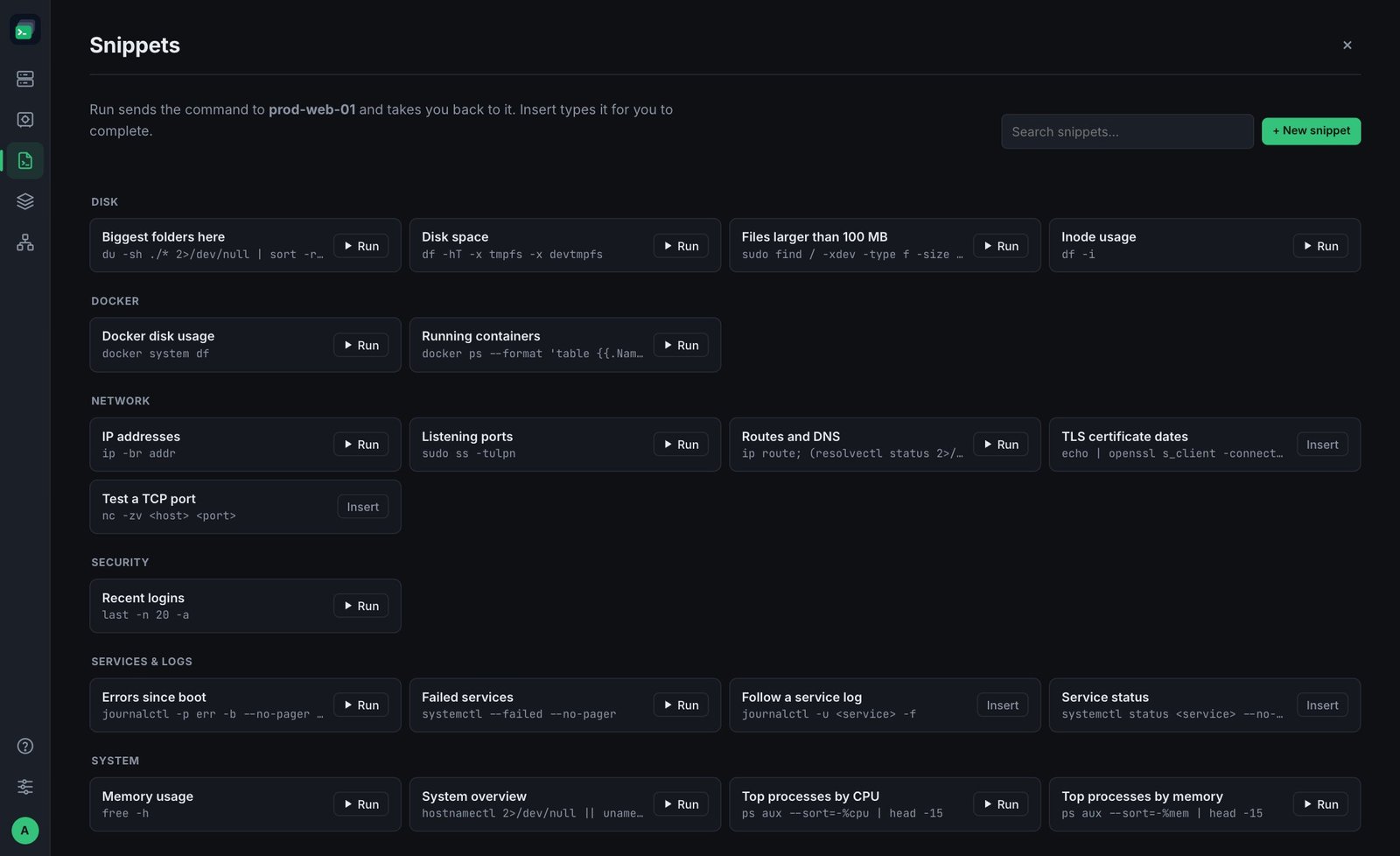
Using a snippet
Open Snippets from the left bar while a terminal is open. The page tells you which server the command will go to.
- Run sends the command to that terminal and takes you back to it.
- Insert types the command without pressing Enter, so you can fill in the blanks first. Snippets with placeholders like
<service>or<host>show Insert instead of Run.
Type in Search snippets… to find one quickly.
Your own snippets
- + New snippet — give it a Name, the Command and, optionally, a Group to file it under.
- Point at a snippet to edit or delete it. The defaults are yours to change or remove too.
- Restore default snippets brings back any of the 20 defaults you deleted (your own snippets aren't touched).
Snippets you create are yours — colleagues have their own — unless you share them through a folder (below).
Share snippets with your team
Snippets can live in a shared connection folder, so the runbook commands for those servers are in one place for everyone:
- In Snippets, click +.
- Under Who can use it, choose Everyone in "
" (you see the folders where you're an admin or have Edit access). - Save.
Everyone in the folder sees it under the folder's name with a shared badge and can run it. Admins and Edit members can change or delete it; Use members can't. Deleting the shared folder deletes its snippets.