 FusionTerm
What is FusionTerm?
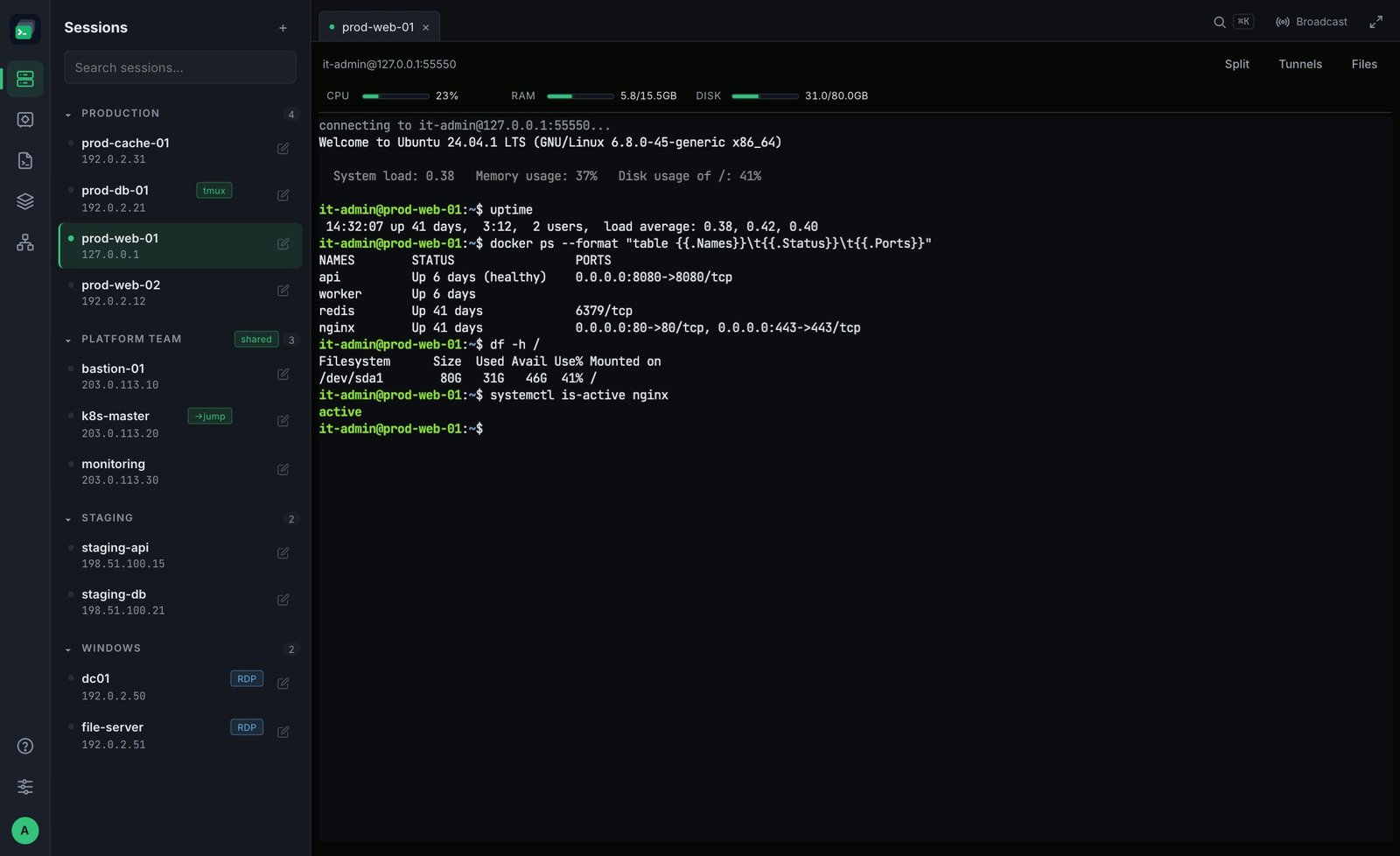
FusionTerm gives your IT team every server in one browser tab: Linux terminals (SSH), Windows desktops (RDP), a file manager, shared team connections and a password vault. It runs on your own server — nothing to install on anyone's laptop, and your passwords and keys never leave your network.
What you can do
- Connect to servers — SSH terminals in tabs with split screen and live CPU / memory / disk, and Windows desktops over RDP. See Add a Linux (SSH) server and Add a Windows (RDP) server.
- Work with files — browse, upload, rename and delete files on any server, and switch to root with sudo only when you need it. See File manager.
- Share access safely — give colleagues access to company servers without ever showing them the password or key. See Shared connections.
- Keep secrets in one place — the vault stores passwords, SSH keys and API tokens, encrypted on your server.
- Stay in control — users, signed-in devices, an audit log, two-factor sign-in and single sign-on with Google, Microsoft, Okta or Keycloak.
How it works
FusionTerm runs as a Docker container on a server in your network. People open it in a web browser (or on their phone); FusionTerm then connects to your servers on their behalf. Only the FusionTerm server needs network access to your servers — your engineers' laptops don't.
Next step
Install FusionTerm — it takes about a minute.